 Language
 Español
 Português
 Français
 Deutsche
 हिन्दी
 Nederland
 Русский
Pixel planet
Rating: 4.03 from 5 (based on 247 votes. 👍 185 – users like it, 👎 58 – disliked, 💬 4 – comments posted)
Released: April 2019
What Is Pixel Planet?
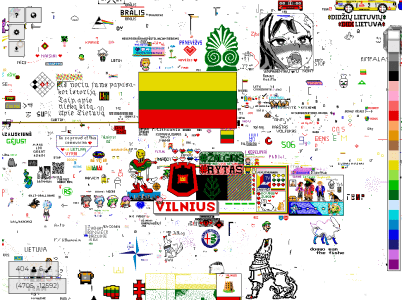
Pixel Planet is more than just an art game—it's a convergence of creativity, global community, and a touch of politics. Drawing inspiration from Reddit's "Place" project, Pixel Planet offers a digital canvas in the form of an expansive global map. This allows participants from every corner of the world to come together and paint a collective masterpiece—one pixel at a time.
Features and Mechanics:
-
Infinite Canvas: Unlike traditional art forms, the Pixel Planet canvas has no expiration. It's a perpetual testament to the power of collaborative creation.
-
Easy Access: No registration? No problem! Jump in and start painting without the need for sign-ups. Just remember, proxy server use is a no-no.
-
Pixel Painting Dynamics: Paint a new pixel and experience a 4-second delay. Repainting an already colored pixel? That'll be a 7-second wait. And should you reach a 60-second accumulated delay, the canvas temporarily locks until that time elapses.
-
Collaborative Creations: Some artworks span vast portions of the map. How? By users from diverse backgrounds teaming up! Through social media and chat platforms, they strategize and coordinate, fostering a rich sense of community.
Politics and Pixels: Given the canvas mirrors real-world geopolitical territories, it's no surprise that participants' national affiliations sometimes bring political undertones to the artwork. This has sparked occasional 'pixel wars' as users compete for territorial representation.
2023 Update: While large portions of the map remain untouched canvases, certain regions have seen an explosion of creativity. The USA, Europe, Mexico, and the Middle East stand out as the current hotspots of pixel activity.
In conclusion, Pixel Planet isn't just a game; it's a reflection of global collaboration, artistic expression, and sometimes, geopolitical sentiments. Dive in and leave your mark on this continually evolving digital world map!
FAQ
What is Pixel Planet?
Pixel Planet is a collaborative online pixel art game where players worldwide can paint on a shared world map canvas.
Do I need to register to play?
No. You can start painting immediately without sign-ups, though proxy server use is prohibited.
How does the pixel placement work?
Each new pixel has a 4-second cooldown. Repainting an existing pixel requires a 7-second wait, and delays can stack up to 60 seconds, temporarily locking your painting ability.
Is it possible to collaborate with others?
Yes! Many players coordinate through social media and chats to create massive works of art across the canvas.
Why are there politics in the game?
Because the canvas reflects real-world geography, players often bring national or political symbols, leading to pixel battles for territorial representation.
Pixel Planet doesn’t use classic cheat codes. It’s a shared canvas where people coordinate and place pixels over time. What many call “cheats” are actually helper tools that improve workflow: automation for placement, backup viewing, and area watching. On PlayMiniGames we recommend using them responsibly so collaboration stays fun 😊.
Automation and drawing bots
- Template-based placement: feed a plan or coordinates and let the tool place pixels as cooldowns allow, ideal for logos, clean lines, or image mosaics.
- Captcha awareness: when verification appears, pause and solve it yourself, then resume. Respect rate limits and platform rules.
- Custom logic: outline-first or fill-later strategies, priority queues for key zones, and repair routines for off-color pixels in busy areas.
Backups and historical view
- Daily snapshots with frequent incremental saves help analyze changes without copying the whole canvas each time.
- Separate storage increases reliability for restores and time-lapse reviews.
- History playback shows how artworks evolved, helps resolve disputes, and celebrates milestones ⏪⏩.
Advanced interactions
- Color rules: whitelist or ignore specific shades to keep a strict palette.
- Continuous watching: monitor selected areas and gently nudge pixels back to your template if they’re changed 🛡️.
- Session identity: tools typically bind to a browser session or fingerprint so fair-use limits can be enforced—treat this as standard hygiene.
Fair-play tips
- Coordinate with neighbors before expanding a project border.
- Don’t spoof identities or bypass security. Automation should assist humans, not replace them.
- Share a short palette and template guide so teammates place consistent colors.
- Use history as a tutor for newcomers and to plan efficient repairs 🚀.