 Language
 Español
 Português
 Français
 Deutsche
 हिन्दी
 Nederland
 Русский
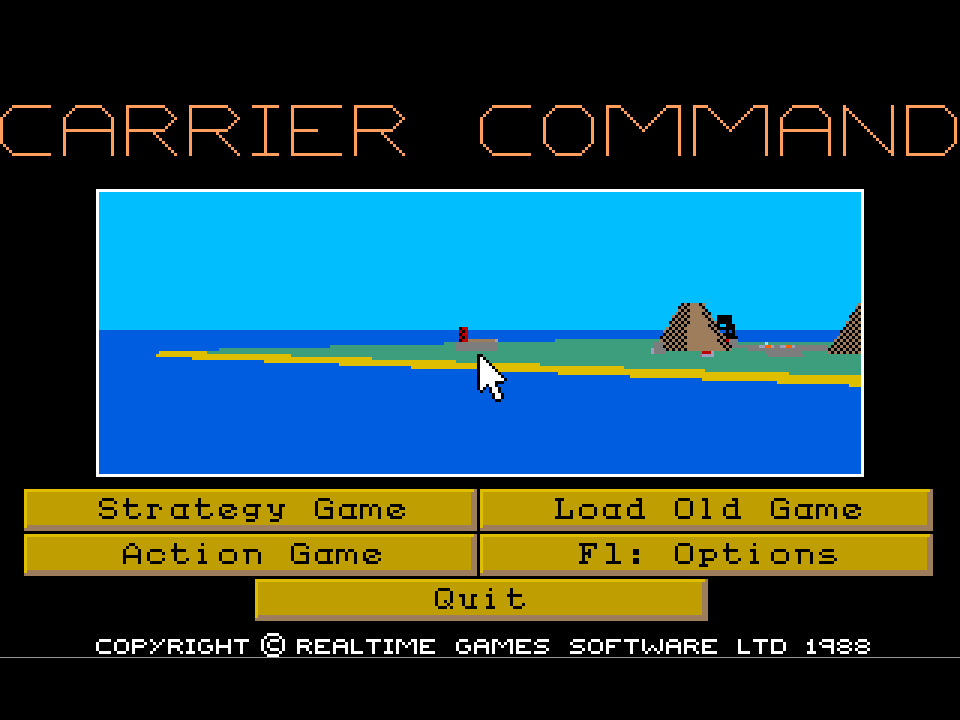
Carrier Command
Rating: 4.33 from 5 (based on 12 votes. 👍 10 – users like it, 👎 2 – disliked, 💬 0 – comments posted)
Released: August 2026
Carrier Command is a classic military strategy, vehicle simulation, and action game where you take control of a futuristic robotic aircraft carrier and fight for an archipelago of 64 islands. Your ultimate objective is to expand your territory, establish a working supply network, deploy aircraft and amphibious vehicles, and eventually locate and destroy a more powerful enemy carrier.
Instead of limiting you to a single vehicle or tactical map, Carrier Command lets you switch between carrier management, aircraft piloting, amphibious operations, island conquest, repairs, logistics, and direct combat. This unusual combination of real-time strategy and hands-on simulation helped give the game a distinctive identity among classic computer war games 🚢.
Play Carrier Command online on PlayMiniGames and experience a retro military simulation where good piloting is only part of the challenge—the war can also be won or lost through logistics, repairs, island control, and strategic planning.
What Is Carrier Command?
Carrier Command is a hybrid of real-time strategy and vehicle simulation built around a futuristic autonomous aircraft carrier.
The story takes place in the near future. Scientists have created two robotic carriers intended to colonize a 64-island archipelago. The more advanced carrier falls into the hands of a hostile organization, leaving the player in command of the less powerful vessel.
Your mission is to build control over the islands, maintain your carrier and its vehicles, and ultimately destroy the enemy carrier before it dominates the entire archipelago.
Capture and Control 64 Islands
The island network is central to Carrier Command. The map contains 64 islands that can be captured and incorporated into your growing logistics system.
Taking an island is more than simply changing its ownership. Territory determines where you can operate effectively and how easily your carrier can receive supplies, equipment, and reinforcements.
This means expansion must be planned carefully. Moving aggressively without maintaining your supply network can leave the carrier vulnerable far from support.
At the same time, allowing the enemy to capture too many strategically useful islands can make the opposing carrier increasingly difficult to intercept.
Build a Logistics Network
Carrier Command places unusual emphasis on logistics for an action-oriented game.
Your carrier needs equipment and reinforcements, so controlled islands must form a useful supply network rather than simply becoming points on a map.
Strategic planning involves deciding which islands are important enough to capture and how your route through the archipelago will affect future operations.
A strong logistics network gives you greater freedom to continue fighting after suffering vehicle losses or carrier damage.
Command a Futuristic Aircraft Carrier
The carrier acts as your mobile headquarters and primary strategic asset.
From its various interfaces, you can monitor the battlefield, control deployed vehicles, examine maps, manage systems, and respond to damage.
The supplied description emphasizes the large number of icon-based control screens, viewpoints, and area maps available to the player.
Rather than turning the experience into a menu-heavy management game, these systems are intended to support the simulation by giving you direct control over many aspects of the operation.
Pilot Aircraft and Drive Amphibious Vehicles
You are not restricted to issuing orders from the carrier.
Carrier Command allows you to directly pilot aircraft and control amphibious vehicles used during island operations.
This creates one of the game’s most recognizable features: the ability to move between strategic command and direct action.
One moment you may be planning your next island capture, and the next you can be flying a combat aircraft or driving a vehicle toward an enemy position.
Deploy Different Weapon Systems
The game also gives you access to multiple weapon systems aboard your carrier and vehicles.
Combat can therefore happen at several levels, from carrier-based weapons to aircraft and amphibious vehicle engagements.
Learning which system is appropriate for a specific situation is important because careless deployment can waste resources that may be difficult to replace later.
The enemy carrier is more powerful than your own, so simply attacking it immediately is unlikely to be the smartest approach.
Track and Intercept the Enemy Carrier
The opposing carrier operates independently within the same island chain.
Part of your strategy involves predicting where it may travel next and planning a route that allows you to intercept it under favorable conditions.
This creates a larger strategic game beyond individual island battles. You are not just expanding territory—you are competing with another mobile force that is trying to do the same thing.
Knowing when to pursue the enemy and when to strengthen your own network is one of the main strategic decisions in Carrier Command.
Repair Damage and Protect Critical Systems
Your carrier can suffer damage during combat, and not all damage is equally serious.
The game requires you to assign priorities to repair crews when systems are damaged.
A critical subsystem may need immediate attention, while less important damage can wait.
This introduces another layer of decision-making during intense battles because you may need to choose between maintaining combat capability, restoring mobility, or repairing another essential function.
Action Mode and Strategy Mode
Carrier Command includes both Action and Strategy modes.
This allows players to choose how much strategic management they want to handle.
Action-focused players can concentrate more heavily on direct vehicle control and combat, while Strategy mode emphasizes the broader decisions surrounding island control, routes, supplies, and enemy movement.
The two approaches make the game accessible to players interested in different parts of its hybrid design.
3D Vector Graphics
Most versions of Carrier Command use filled vector graphics to create a three-dimensional view of the game world.
The supplied description notes that objects are shaded with simple raster patterns rather than texture mapping.
The carrier and its vehicles have full 360-degree rotation, which was important for presenting the game as a true 3D simulation rather than a fixed-perspective strategy title.
The Commodore 64 version is described as an exception, using a top-down 2D presentation while preserving the same general gameplay concept.
How to Enable Mouse Control
The supplied instructions provide a specific setup process for enabling Microsoft mouse input:
- From the main menu, press F1 to open Options
- Press F2 to select the input device
- Press 3 to choose Microsoft Mouse
- Press E
- Press F10 to return to the main screen
After completing these steps, mouse input should be available for the supported interface.
How to Play Carrier Command
A successful campaign requires balancing expansion, logistics, vehicle deployment, repairs, and the search for the enemy carrier.
A useful general approach is:
- Study the archipelago map before committing to a route
- Capture islands that strengthen your supply network
- Use aircraft for reconnaissance and combat
- Deploy amphibious vehicles for island operations
- Monitor the position and likely route of the enemy carrier
- Keep important carrier systems repaired
- Replace lost equipment through your logistics network
- Avoid unnecessary confrontation when poorly supplied
- Intercept the enemy carrier when conditions favor you
Carrier Command Strategy Tips
- Do not treat every island as equally important.
- Build a connected supply route before moving too far into enemy territory.
- Monitor carrier damage after every serious engagement.
- Prioritize repairs to systems that directly affect your current mission.
- Use aircraft to gather information before committing ground vehicles.
- Try to anticipate the enemy carrier’s next target.
- Avoid wasting vehicles when the same objective can be achieved more carefully.
- Choose Action or Strategy mode according to the type of experience you want.
- Learn the different carrier screens instead of relying on only one interface.
- Strengthen your position before attempting the final carrier battle.
Why Players May Enjoy Carrier Command
Carrier Command may appeal to players who enjoy classic strategy games, naval simulations, retro military games, vehicle simulators, real-time strategy, island conquest, and DOS-era 3D games.
Its strongest feature is the way several genres interact. You are simultaneously a carrier commander, strategist, pilot, vehicle operator, logistics planner, and repair manager.
This gives the campaign more variety than a traditional war game while preserving enough strategic depth to make decisions outside combat meaningful.
Players searching for Carrier Command online, Carrier Command DOS game, classic aircraft carrier game, retro naval strategy game, 64 island strategy game, robotic carrier simulator, or 3D military simulation may find this game particularly relevant.
Carrier Command Features
- Military strategy and vehicle simulation
- Futuristic robotic aircraft carrier
- 64-island archipelago
- Island capture system
- Logistics and supply network
- Enemy carrier operating independently
- Aircraft piloting
- Amphibious vehicle control
- Multiple weapon systems
- Carrier repair management
- Icon-based control screens
- Area maps and multiple viewpoints
- Action mode
- Strategy mode
- 3D filled-vector presentation on most versions
- 360-degree vehicle rotation
FAQ About Carrier Command
What type of game is Carrier Command?
Carrier Command is a hybrid vehicle simulation and real-time strategy game where you control a futuristic aircraft carrier and fight for an archipelago of islands.
What is the main objective?
Your ultimate goal is to capture territory, maintain a supply network, and destroy the more powerful enemy carrier.
How many islands are in Carrier Command?
The supplied description states that the archipelago contains 64 islands.
Can you pilot aircraft?
Yes. Carrier Command lets you directly control aircraft as part of combat and reconnaissance.
Can you control ground or amphibious vehicles?
Yes. The carrier includes amphibious vehicles that can be driven during island operations.
Does Carrier Command include repairs?
Yes. Damage can affect carrier systems, and players must prioritize repair crew work.
What is the difference between Action and Strategy mode?
The modes allow you to choose how heavily you want to focus on direct action or strategic management.
How do you enable mouse controls?
From the main menu press F1, then F2, choose option 3 for Microsoft Mouse, press E, and then F10 to return to the main screen.
Is Carrier Command a 3D game?
Most versions use filled vector graphics to display a three-dimensional world, while the Commodore 64 version uses a top-down 2D view.